
Magic-Watch
Pro-grade Desktop Gadget Watch with Luxury Visual Alerts & Theme Studio.
Version 1.2.0
Installation notes & Features
Option 1 — Windows Setup (Installer): Recommended for primary desktop use. Runs an interactive setup wizard, creates Start Menu and Desktop shortcuts, and registers in Windows Settings for easy launch and update.
Option 2 — Portable Version: Unzip magicwatch-latest.zip anywhere (including USB flash drives) and run Magic-Watch.exe directly with zero system modifications.
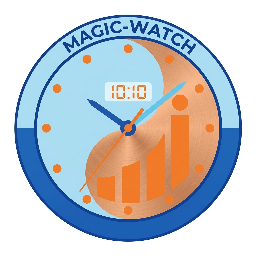
Key Features: Automatic hourly mode/theme switcher (alternates Digital & Analog faces or cycles themes every hour at :00), 4 selectable luxury interval visual alert animations (🌈 Aurora Perimeter Sweep, 💫 Particle Sparkle Fountain, ⚡ Ambient Breathing Halo, 🧬 Holographic Laser Scan) at :00 and :30, dual digital/analog watch faces (double-click to toggle), 12 studio themes (AMS Corporate Edition & Chronometer), smooth 60 FPS sweep second hand, frameless transparent physics, position locking, always-on-top, scaling (80%-200%), and opacity adjustment.